
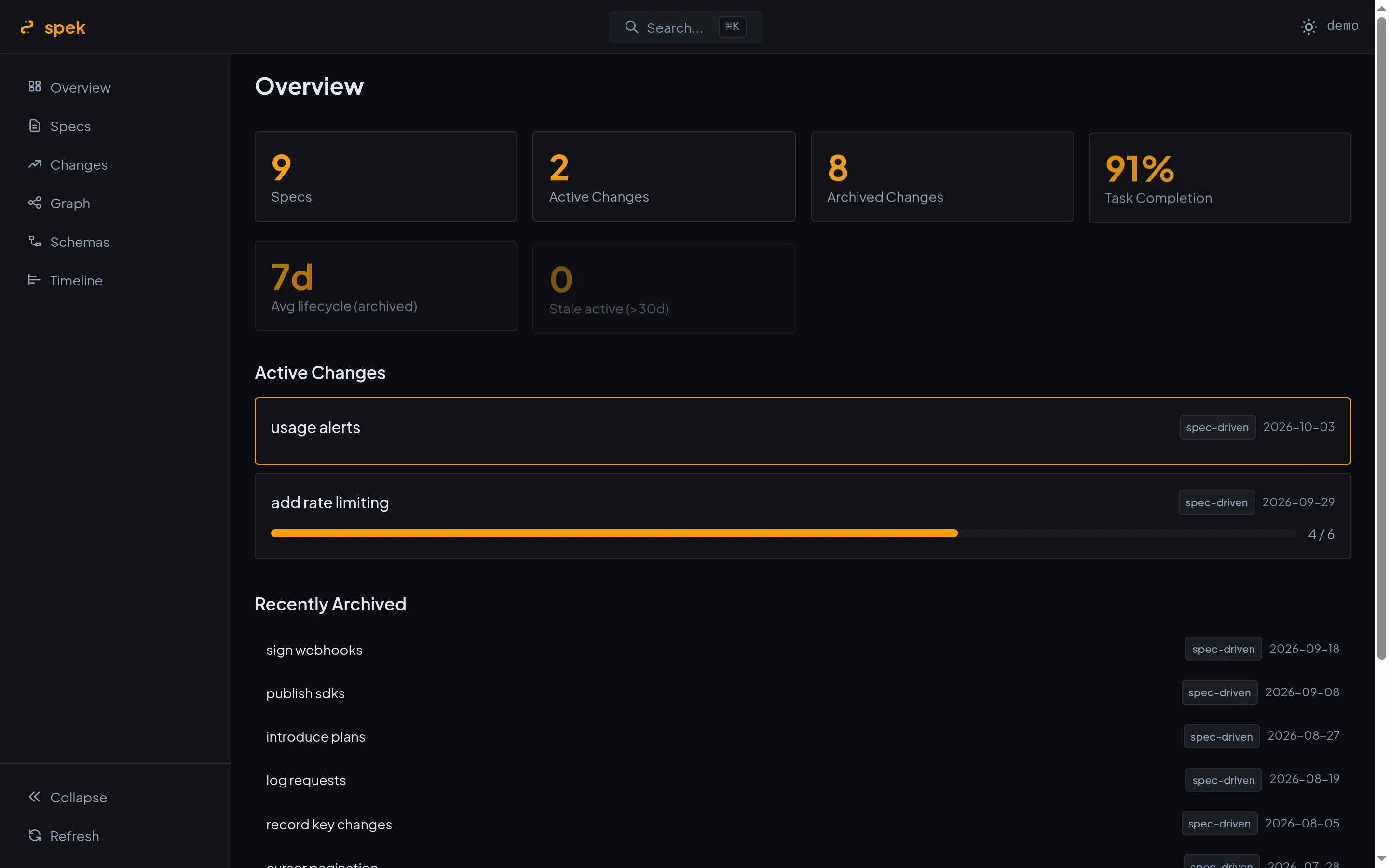
Dashboard
How many specs and changes there are, task completion, average lifecycle, and changes that have gone stale.

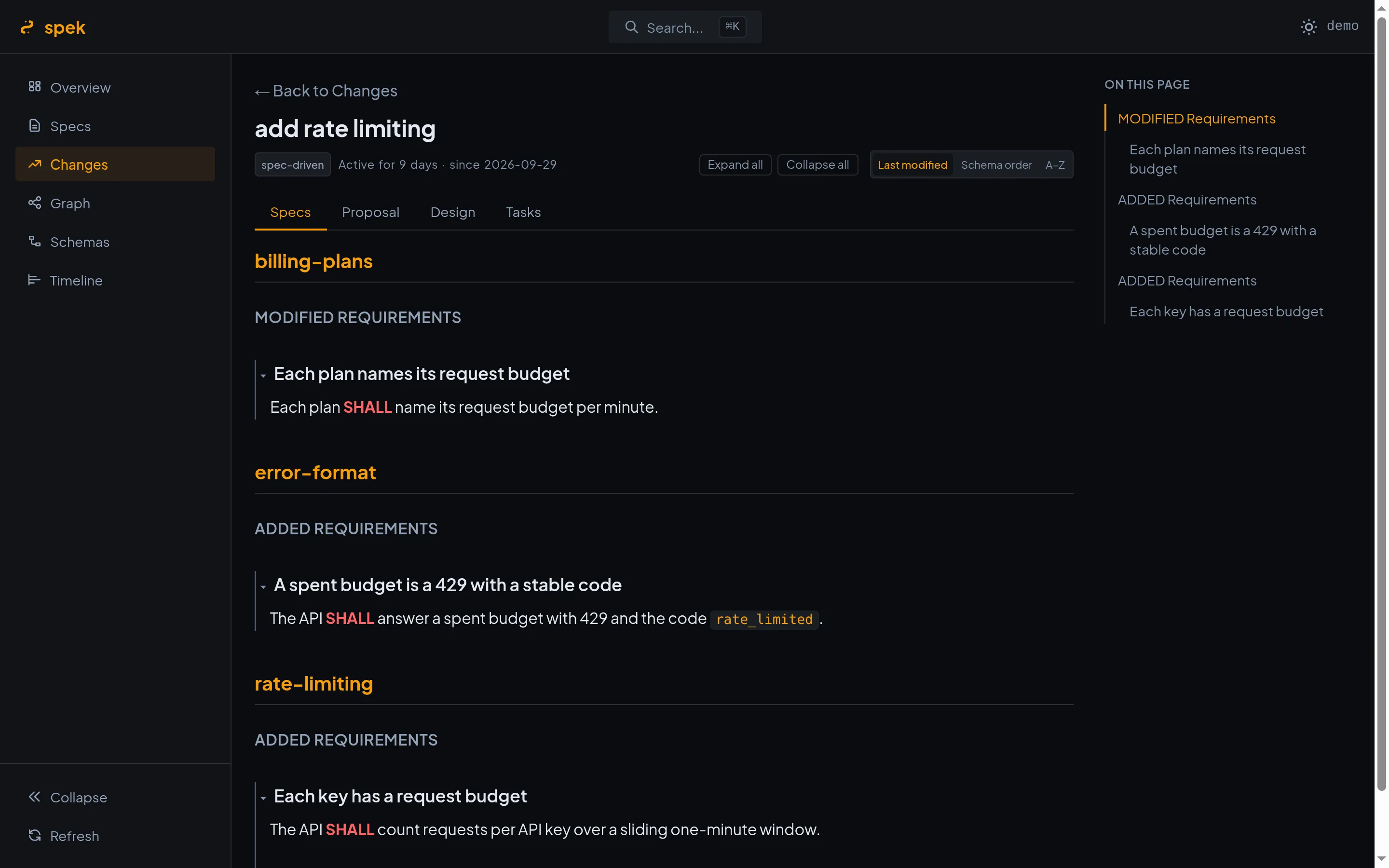
OpenSpec keeps a project’s requirements and every change to them as Markdown files under openspec/.
That is the right format for an agent to write and for git to track, and a hard one to read: a change is a
proposal, a design, a task list, and a delta per capability, spread over a dozen files. spek reads that
directory and lays it out — with structure, links between specs and changes, and progress you can see at a
glance.
Dashboard
How many specs and changes there are, task completion, average lifecycle, and changes that have gone stale.
Specs and changes
Specs as a folder tree with their history; changes active and archived, each with its proposal, design, tasks, and delta specs as tabs.
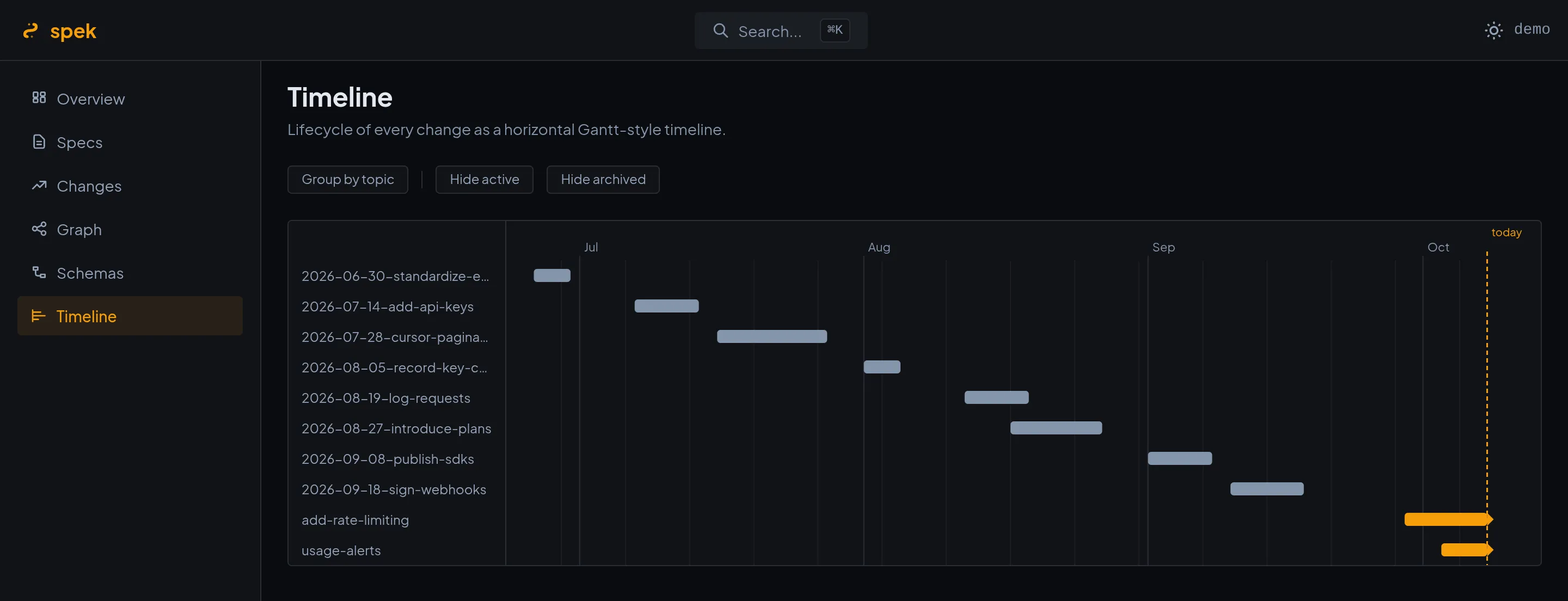
Schemas, graph, timeline
The workflow schemas a repository uses, how specs and changes relate, and every change’s lifecycle as a Gantt-style timeline.
Every worktree at once
The in-flight changes of all of a repository’s git worktrees in one list — for agents working in parallel.
All four show the same views. Pick the one that sits where you already work.
How to install and use each: Install spek.
spek’s engine reads OpenSpec for spekterm too: spekterm’s side panel uses spek’s core package
(@spekjs/core) to scan specs and changes, and draws spek’s graph and timeline (@spekjs/ui). spek is for
reading specs where you already work; spekterm is a desktop workbench for running Claude Code sessions next
to them. Neither needs the other.
spek is MIT-licensed, and its source is on GitHub. It has no account, no telemetry, and no analytics; Data and network lists what each form connects to.